
Pick up a call from a team member
As a member of a call pickup group, you can answer a call on behalf of another group member who isn’t available. Note: For this feature to be listed in your call settings, you must be assigned to a call pick-up group by your administrator.
To enable call pickup:
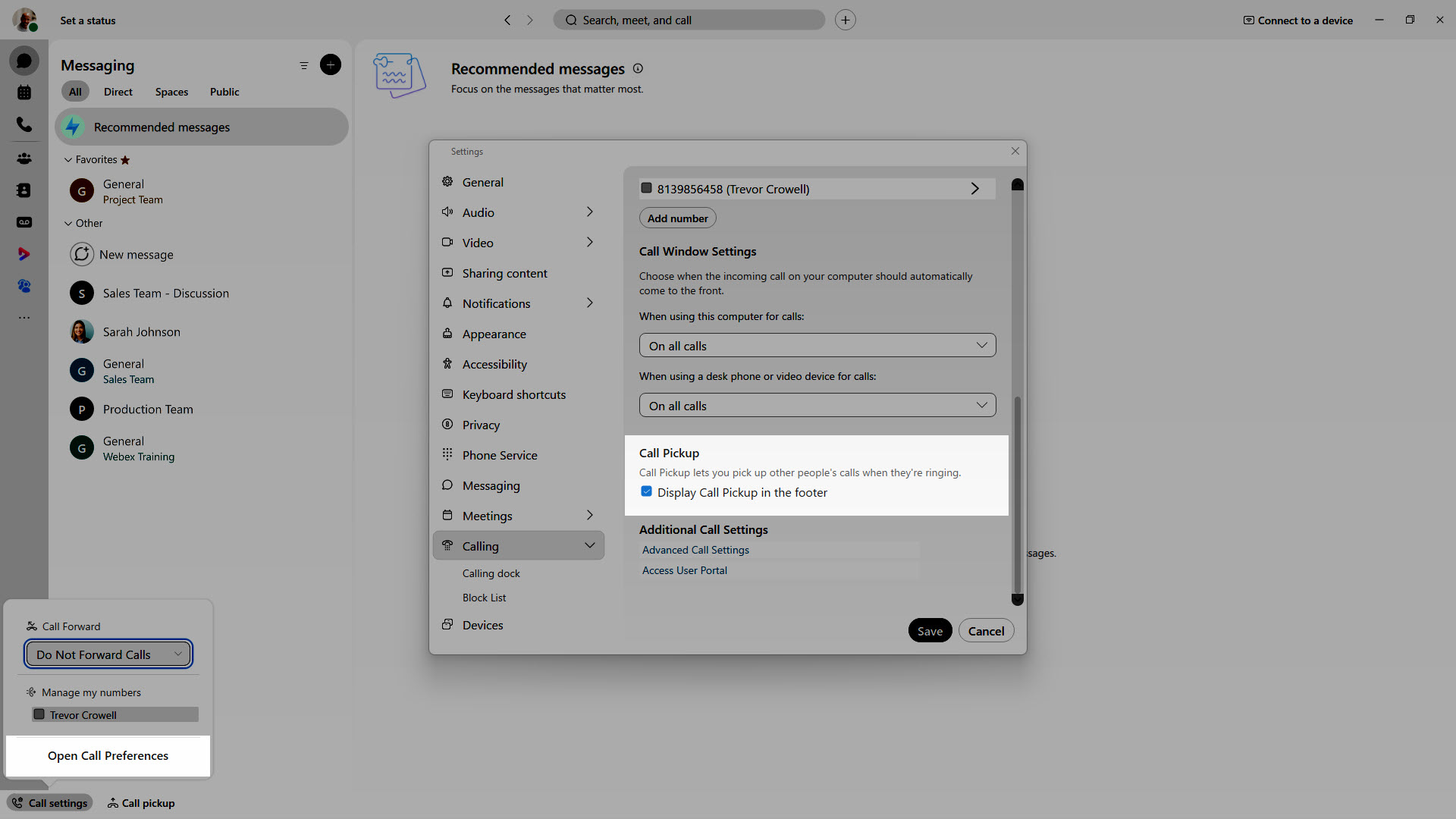
- In the app footer, click Call settings > Open Call Preferences.
- Scroll down to Call Pickup.
- Check Display Call Pickup in the footer.
- Call pickup will now show in the app footer.
To pick up a call
- Select Call Pickup.
- Depending on your setup, you may have multiple groups to choose from. You can select either Call Pickup, or Directed Pickup.
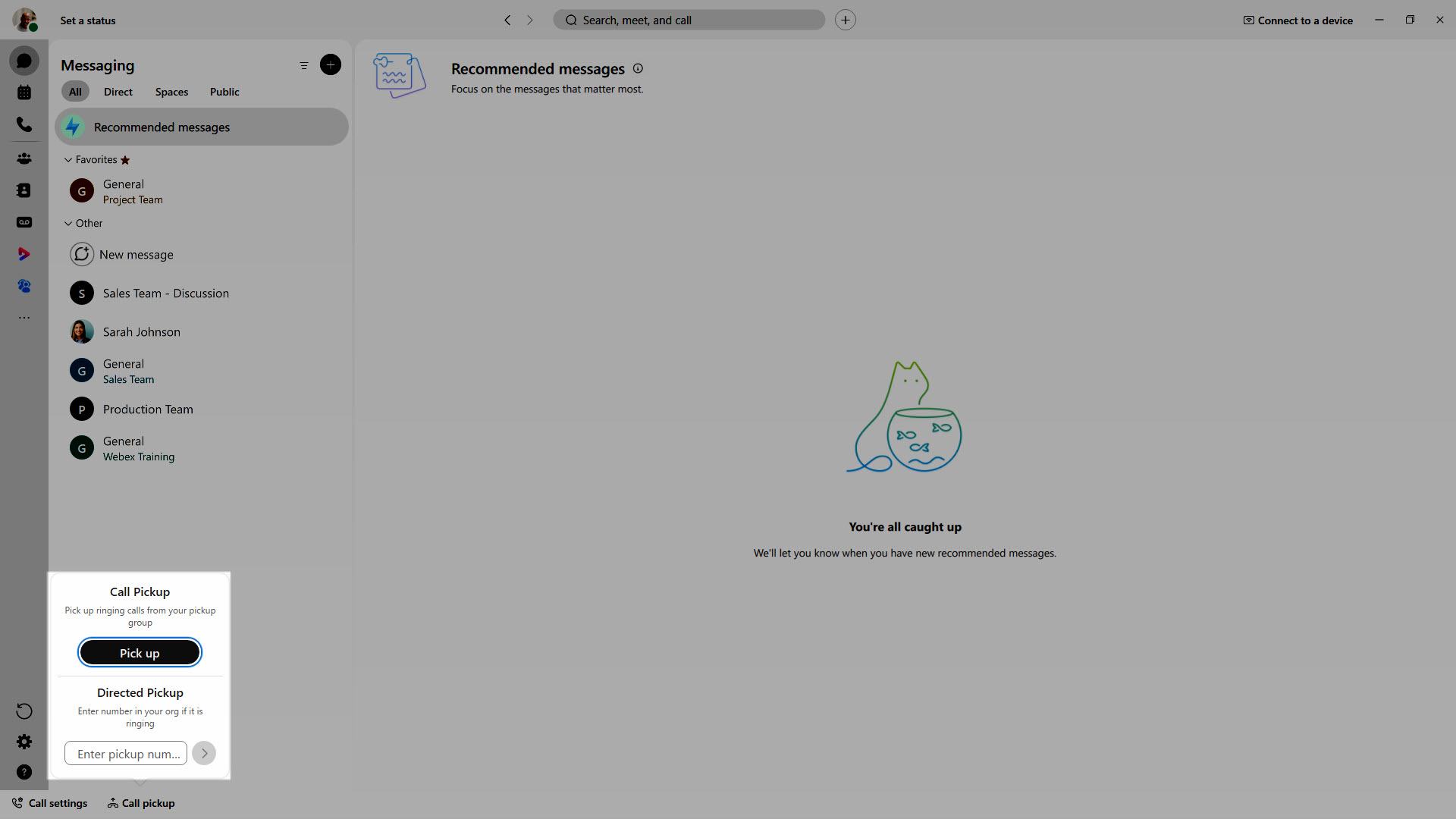
If you choose Directed Pickup, enter the pickup number. Then press Enter.

