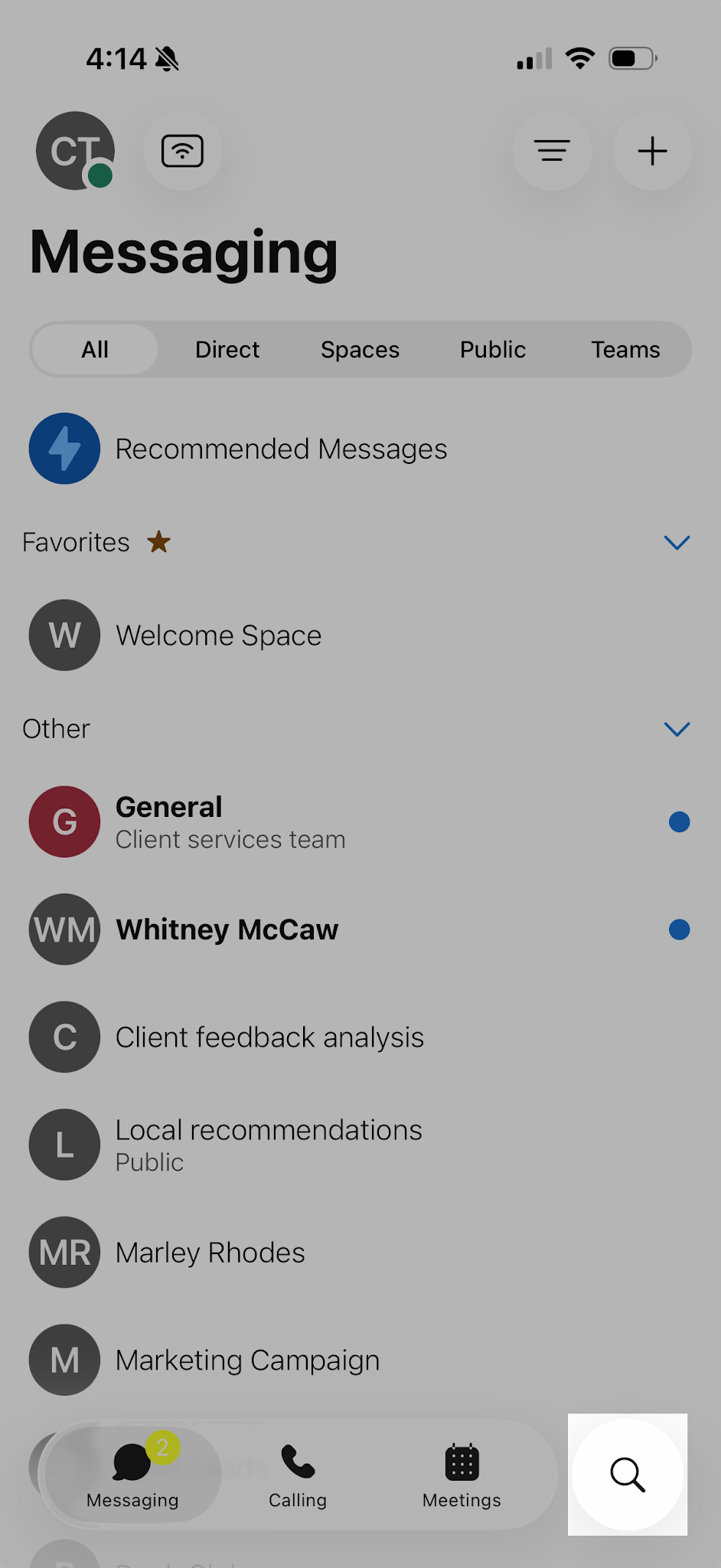
Navigation overview
Some of the main areas of this application:
People and spaces list
People and Spaces appear on the main screen after login. Tap the Messaging icon at any time to return to this screen. Think of spaces as virtual rooms for ongoing collaboration with colleagues. At the top, you'll find your most recently active spaces. Any new teams or spaces you've been added to will also be displayed here. Additionally, a space name will appear in bold when a new message has been posted.

Navigation menu
You can switch easily between your message, team, call, and meeting views. Messages appear by default, but your teams, calls, and meetings are just a click away.

Profile and preferences
Within the app header, select your profile to modify your picture or name, access settings and preferences, and adjust your availability.

Search
Tap the search icon to quickly find relevant information and access past meetings, recordings, and communication threads with just a few keywords.