
Forward your calls
The Call Forwarding feature allows you to forward calls to the desired number instead of your voicemail. Call forwarding options include: when busy, when no answer, and when not reachable. If you have not enabled a call forward service here, then calls will automatically forward to voicemail.
To enable call forwarding:
- Tap your Profile icon.
- Select Settings, then Calling.
- Select Advanced Call Settings.
- Expand Incoming Calls.

- Under Call forwarding the following options are available:
- When No Answer — Forwards incoming calls only when you are away or not answering. Turn on the toggle and enter the number to forward calls to. Tap the Number of Rings dropdown to designate how many rings occur before the call is forwarded.

- When Busy — Forwards incoming calls only when call waiting is disabled and you are on another call or have Do Not Disturb enabled. Turn on the toggle and enter the number to forward calls to.
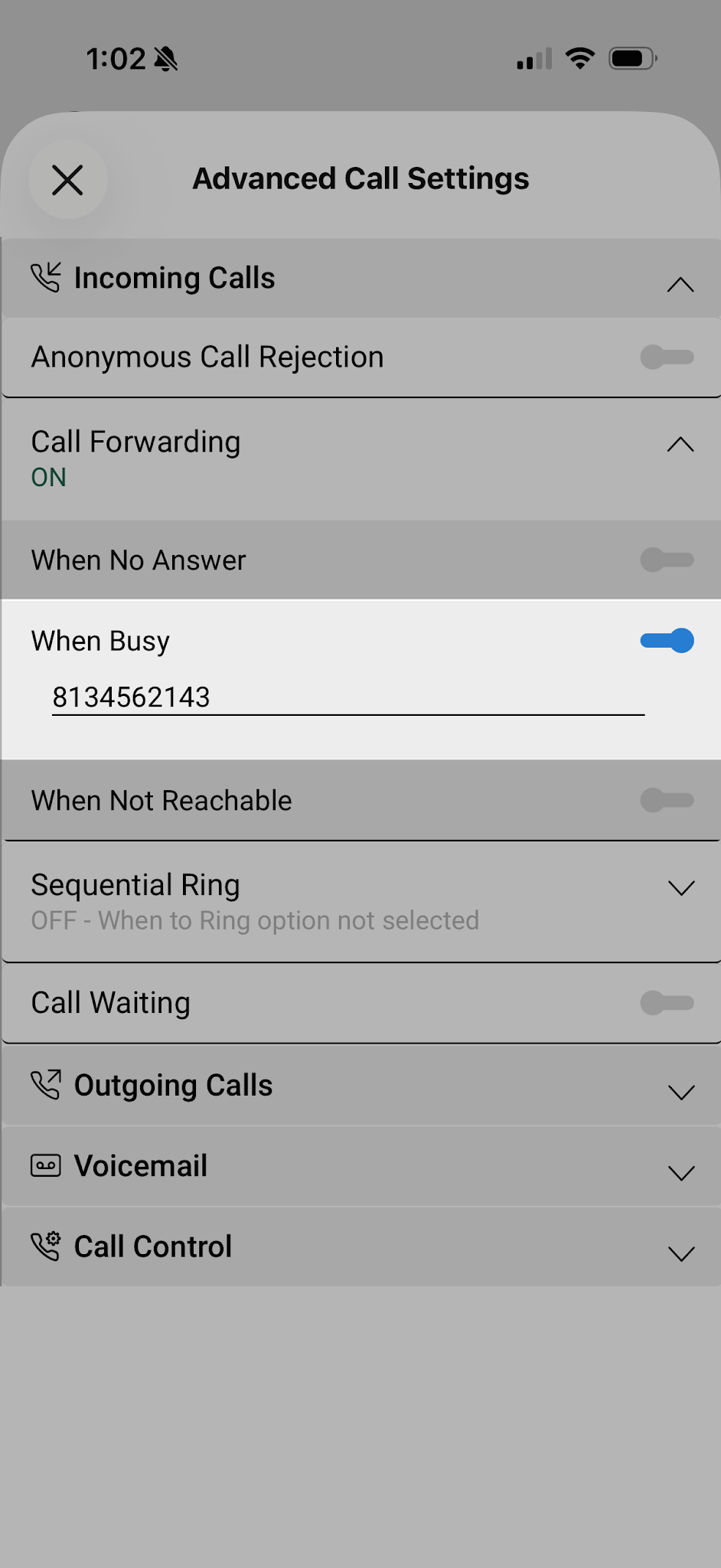
- When Not Reachable — Forwards all incoming calls when all of your devices are offline and not connected to the network. Turn on the toggle and enter the number to forward calls to.


