Change your call queue status
When your administrator adds you to a call queue, you can check and update your call queue status in the Webex App. When a call enters your queue, you'll receive a notification in the app and can answer the call directly from there. The call also appears in your call history.
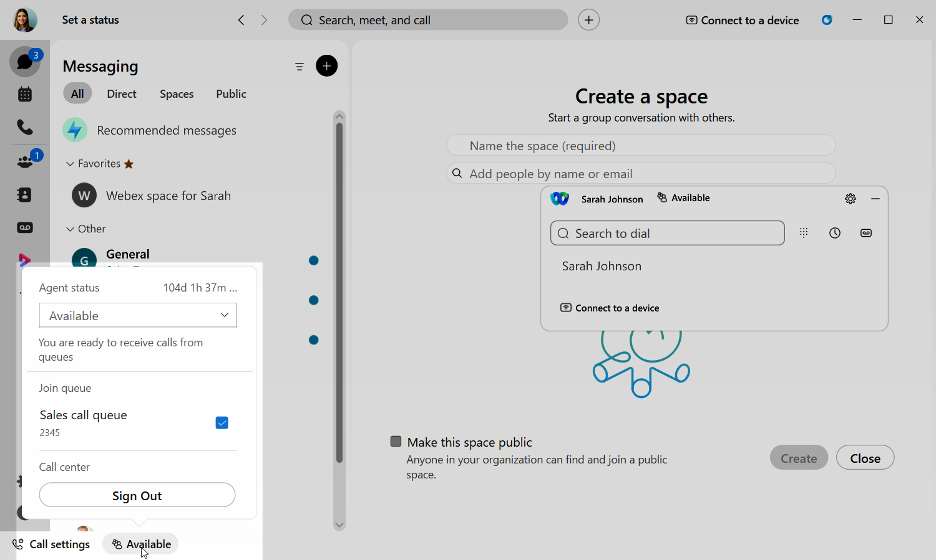
- In the app footer, click the Queues icon. Your current status is displayed in the footer, where you can also view all the call queues you are part of.
- From the Agent status drop-down menu, select your status:
- Available - You're ready to receive calls.
- Unavailable - You're not available to receive calls.
- Wrapping up - You're near the end of your shift but you can still receive calls.
- Join or unjoin a queue by checking or unchecking the box next to the queue assigned.